Use Add anything on Home to save a note, file, link, or voice recording, then choose how to use it.
Zentrik saves the original source and suggests a next step. Proposed product changes wait for your review.
Capture and choose
- On Home, select Add anything.
- Add the material and select Add. You can leave the progress view while Zentrik works.
- Accept the suggested next step, or select Choose another use.
| Choose | When the source contains | Result |
|---|---|---|
| Capture evidence | Direct feedback or a grounded research observation | A Signal in Discovery |
| Shape a solution | A capability, solution concept, or product bet | An idea to develop |
| Teach Zentrik about the product | What a product is, does, or measures | Product changes to review |
| Use as context | Reference material or durable guidance | Searchable context |
| Keep the source only | Material to preserve without another record | The saved source |
The original source stays saved whichever path you choose.
Choose Capture evidence for something you learned. Choose Shape a solution for something you may build, even when the note mentions a competitor.
Review product changes
If you choose Teach Zentrik about the product:
- Choose the product and select Prepare review.
- Open each proposal and compare the current and proposed values.
- Open Source when you want to check the excerpt.
- Select Use suggestion, Keep current, or Edit. For a new record, add it or skip it. Larger reviews also offer Select for applying several changes together.
Only applied changes update the product. Other decisions stay under Reviewed and can be restored.
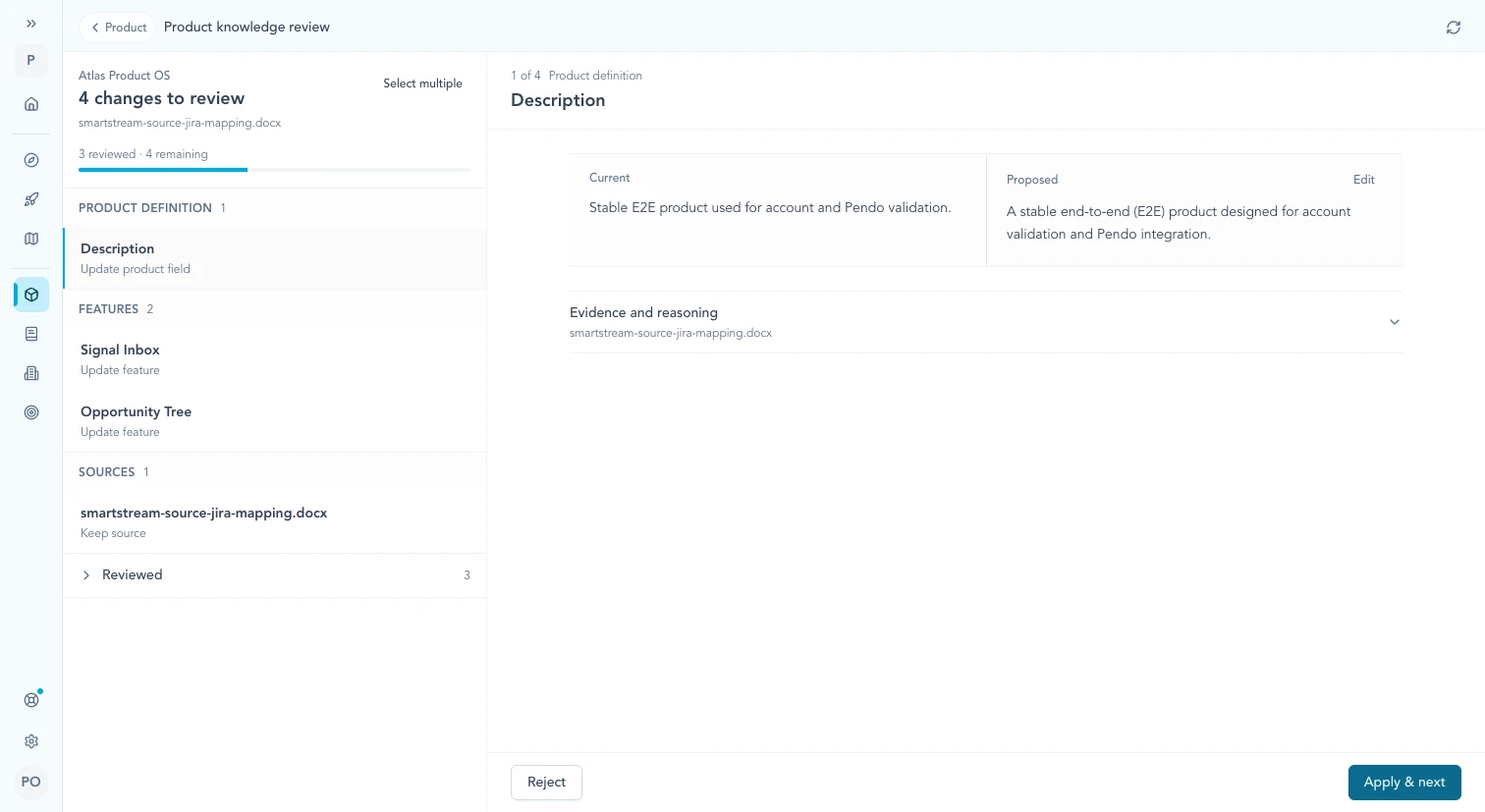
Review one proposal against the current product and its source, then edit, reject, or apply the change.
Continue from here
Related guides
Did this guide answer your question?
Your response helps us prioritize missing or unclear documentation.
Still stuck?
Send your question to Zentrik support. This guide will be included automatically.